HOW IT WORKS
Paint with a hard brush, no anti-aliasing. Every pixel becomes terrain by its color.
Drop the file into your maps folder: %APPDATA%\DIRTNAP\maps on Windows, ~/.local/share/DIRTNAP/maps on Linux.
The subfolder is the game mode: dm, tdm, br or ctf. The map shows up in the host lobby's MAP list when that mode is selected.
Only the host needs the file. Everyone else receives the map over the network when the match starts.
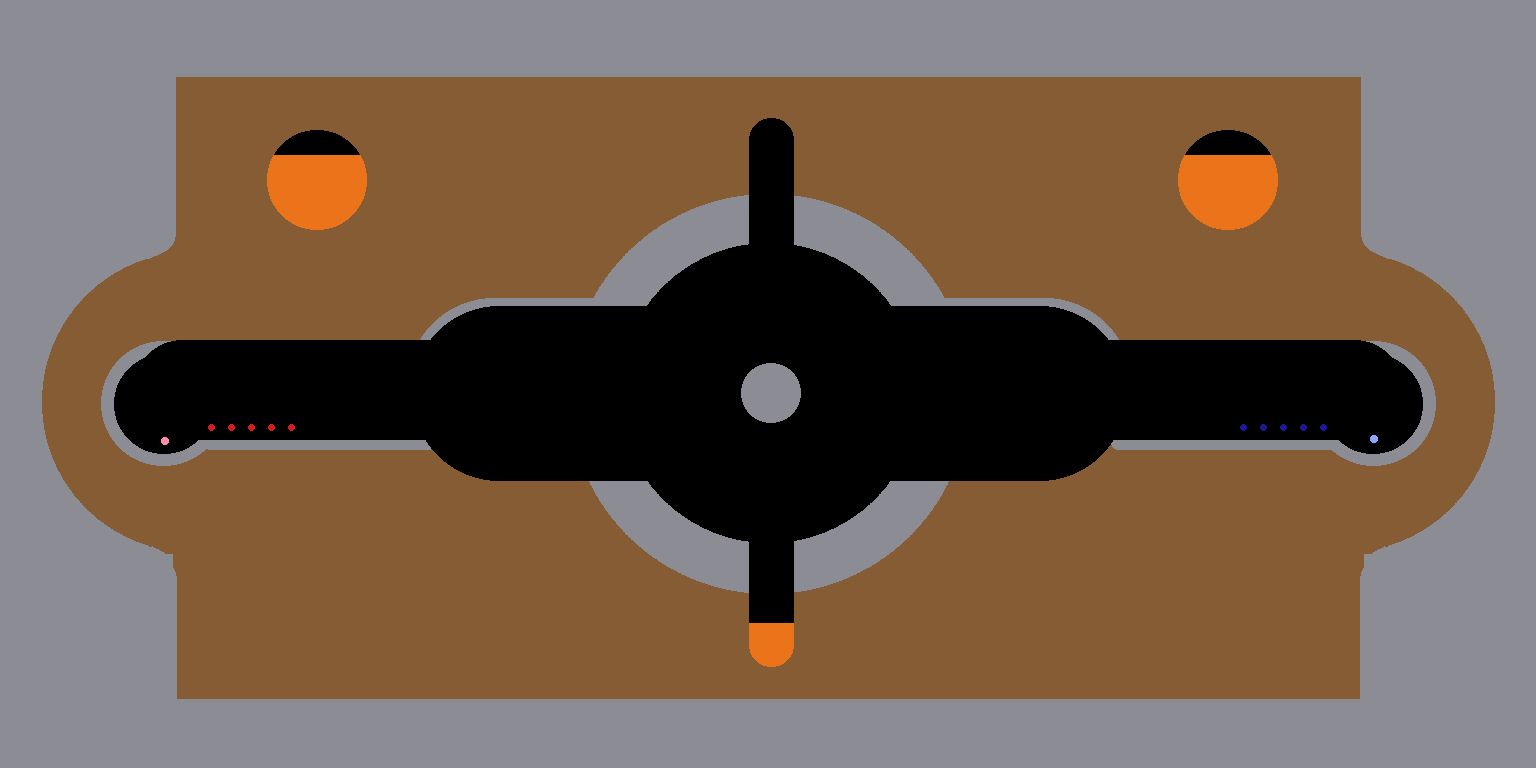
THE PALETTE
| Color | Hex | Paints |
|---|---|---|
| Brown | 855C33 | Terrain. Diggable dirt. |
| Black | 120F0F | Air. Tunnels, caverns, open sky. |
| Gray | 8C8C94 | Rock. Indestructible. |
| Blue | 2599F2 | Water. |
| Orange | EB731A | Lava. |
| Taupe | 715F4E | Mud. Sits close to terrain brown, use the exact hex. |
| White | FFFFFF | Spawn point for free-for-all modes. |
| Red | D91A1A | Red team spawn. |
| Navy | 1A1A99 | Blue team spawn. |
| Pink | FF8CA6 | Red flag stand for CTF. |
| Lilac | 8CA6FF | Blue flag stand for CTF. |
| Yellow | FAE626 | Weapon crate area. Paint a region and crates land somewhere inside it. |
| Green | 33BF40 | Health box area. Same, for medkits. |
Transparent pixels are air too. Any other color snaps to the nearest one in the palette, so eyedrop these exact values.
Spawns and flag stands are small dots. They drop onto the floor below them, so paint them in open air above solid ground.
RULES OF THE DIRT
The image size is the map size. Smallest 1024x512, largest 3072x1536, any aspect in between. Other sizes get padded with terrain to the next 256 pixel step.
The outer edge, roughly 80 pixels, becomes the indestructible border wall. Keep playable space away from it.
Pools flow when the match starts. Paint their surfaces flat unless you want a waterfall.
Missing marks fall back gracefully: no spawns means random spawning, a CTF map without flag stands gets classic corner bases.
STEAM WORKSHOP
The WORKSHOP screen in the main menu is home for all of it: your own maps, the maps you have downloaded, and the door to the Workshop itself.
To publish, open WORKSHOP, click one of your maps, give it a title and press PUBLISH.
Subscribe to a map on the Workshop and it appears under DOWNLOADED MAPS and in the host lobby's map picker under its game mode.